Interview with a UX Designer in FinTech

I had the great pleasure of Interviewing Aabhira Aditiya, a (UX) User Experience, and Interaction Designer in the financial tech industry. Aabhira gave me great information on the importance of UX Design, how to get into the field, and much more.

Aabhira’s Background, and Experience 

Aabhira Aditiya is a senior UX designer who currently works for a financial, software, data, and media company headquartered in Manhattan, New York. she completed her bachelor’s in Fashion and Lifestyle accessories at NIFT (National Institue of Fashion Technology) in New Delhi, India. In her interview, she explains that getting a UX job can be different for everyone.

After completing her bachelor’s, Aabhira got into industrial physical product design. During this time she worked in India for a couple of years. She explained that you always do research, concept design, user testing, and any kind of user validation for design methodology. After Aabhira had worked as a product designer for a few years, she went on to do her master’s in New York at Parsons School of Design. She got her master’s in Transdisciplinary Design. She explains that this wasn’t specific to User Experience Design but a discipline of all types of designs. Aabhira explained that some of her projects related to the general focus of companies, strategies, and system design. So most of her projects focused specifically on digital products.

From that point on, Aabhira become interested in the digital space of technology and User Experience Design! While at Parsons she did a lot of application designs. During her time at Parsons, Aabhira had done a summer internship at Voxy which uses AI to help users learn English. Since Aabhira was the design intern at Voxy, she was designing their web and mobile applications. This internship helped her excel, and obtain more experience in User Experience Design. After graduating from Parsons School of Design, she noticed a big boom in the industry even now more than ever with Covid-19. After graduation, she worked at a few companies such as start-ups and some digital agencies. After one year from graduating and working for different companies, Aabhira got the opportunity to work for a fintech company headquartered in Manhattan, New York City. 

How Aabhira got into UX

After conversating with Aabhira for a bit, I asked her how she got into User Experience Desing. She had told me that, she “really enjoys designing products and applications that people will use”. What also drove her towards UX is being able to see the product “especially when the product is shipped, and then you get to see the users using it”. Aabhira then explained to me what the day-to-day tasks are for a UX designer.  This depends on the designer and the company, as for Aabhira, she works very closely with different stakeholders, businesses, and product owners. Another team she works closely with is the Engineers since they are the ones who are contributing greatly in making the product come to life. It was very interesting to know how UX Designers work. Understanding their roles, and who they work with to make the product come alive such as, the Engineers and other designers were enthralling. Aabhira went on to explain to me that at her work she plays a big role in the interaction design part. Some of her coworkers include people with similar backgrounds. Since it can take a whole department to make a product, she must interact with all the other designers. For example, a company would have people in User Experience research, visual designers, data scientists, and documentation people. While being a UX Designer, Aabhira also conducts her own User Research when designing for products. So she will conduct her own User Research when designing for products. So overall, as a UX designer Aabhira will be in meetings with product owners, engineers, and other business persons. 

How projects are conducted

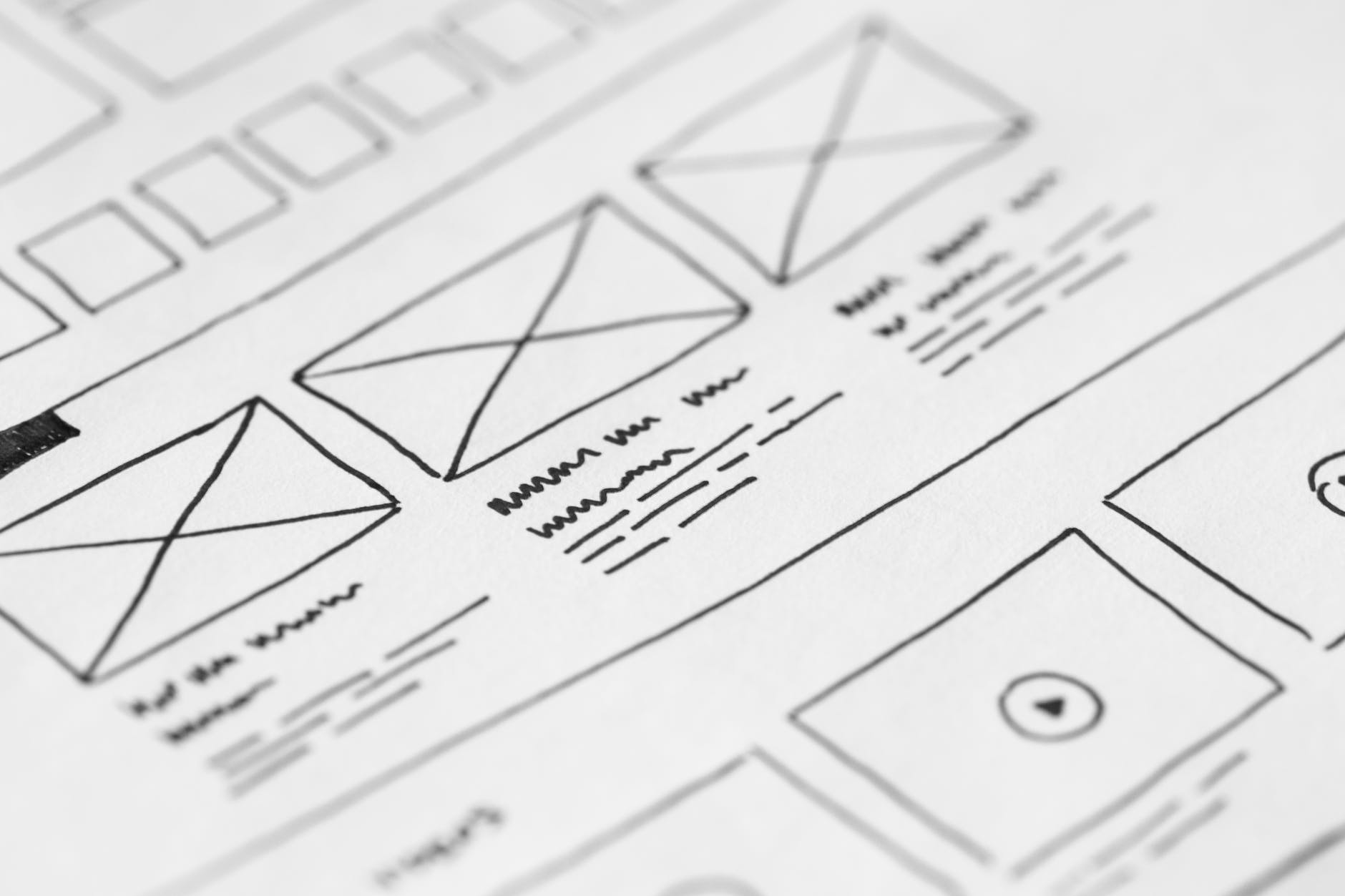
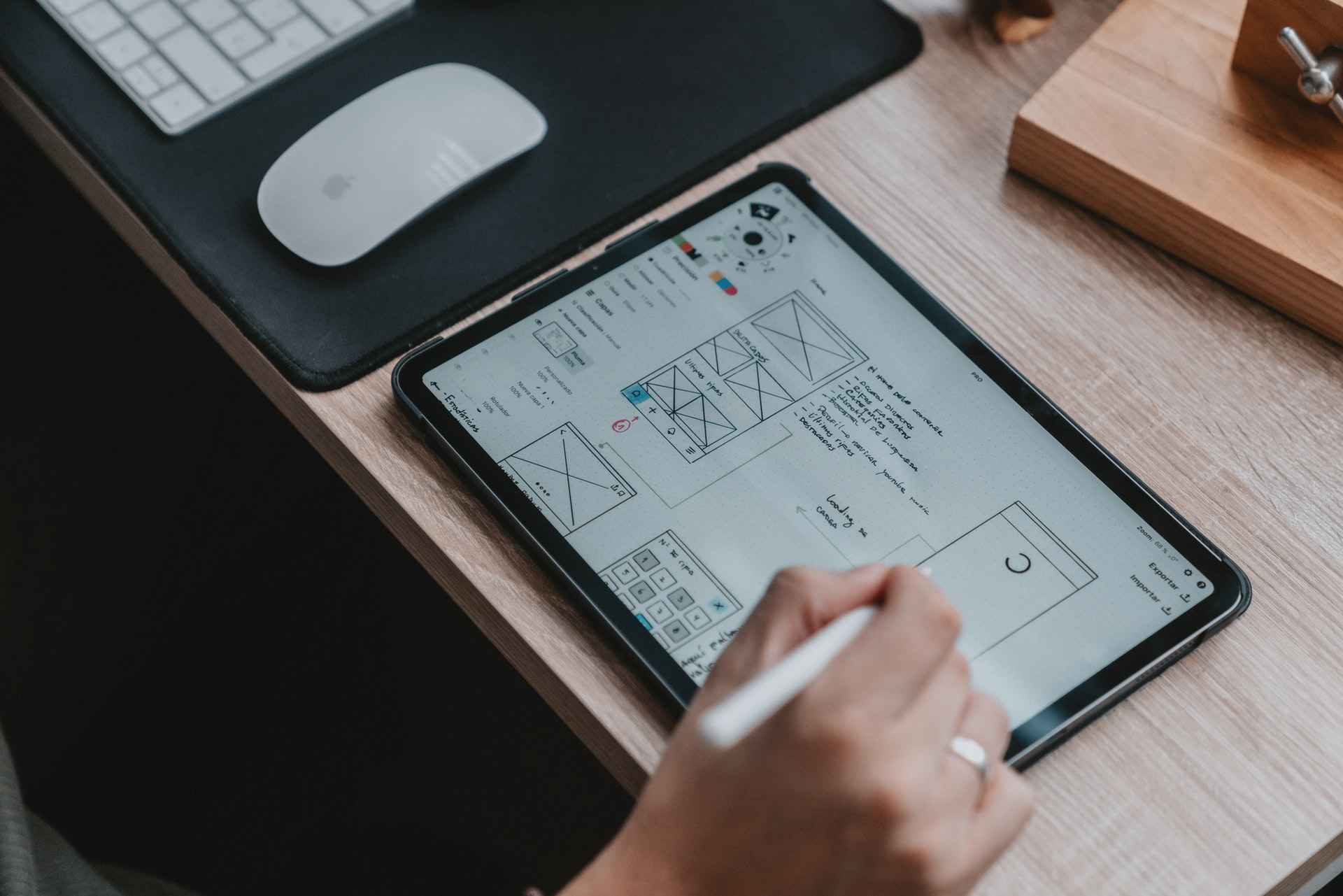
Another interesting thing I got to learn is how projects are conducted. Aabhira explained that, when designing a product, they must understand what and why they’re designing, and what are the business goals. Furthermore, why they are designing the product and what are the user’s needs. User Research is another very important thing when designing a product. It can be from the companies databases or obtaining it from other outside sources. I also think that obtaining research for the product is a big thing since that shows why you are designing the product in the first place. As a User Experience Designer, you also must create wireframes. Aabhira states, that these can start off as low fidelity then to high fidelity mockups. Which then you would run usability tests once the team agrees on the prototype. For Aabhira most of her time as a User Experience Designer is spent doing wireframing and showing a step-by-step user flows. 

UX Designers and their Flexible Work Environments

Since the pandemic, a lot of people are working from home but eventually, once things start to settle down we will be able to go back to the office. Aabhira states that there are some people who enjoy working from home and then others who want to go back to the actual work environment. It’s also important to have a balance of the two. So you get a face-to-face interaction.  

Tools a UX Designer Uses

Aabhira says she uses Sketch and Invision. What she likes to do is either sketch the prototype first and then upload it to Invision to use the linking tools. Which will make it more realistic. A few other designing tools she used are, Omnigraffle, Accenture, and Balsamic. Primarily she uses Sketch and Invision as mentioned above. Aabhira also uses adobe products, since it is important for a User Experience to know how to use industry-standard design tools. 

Key Detail for Product Design

Aabhira says the important thing to work on and understand is that you’re creating for the user. So making sure the Product is providing a solution for the user and is meeting the business goals. Another goal is to make sure the designs are validated. Aabhira explains that as User Experience Designers we make assumptions for the users but we can’t know exactly how they will react. User Testing is important in that aspect. Data is also very important to look into since it provides information for the product. Overall, Aabhira states for a product to be well designed, she needs to have a great experience and if the product accomplishes that then “it’s a good design”.  Another thing is simplicity and ease of use such as getting a task done with ease. This makes for a well-designed app. 

The reason for becoming a UX designer 

Aabhira explains that, if you are someone who enjoys design and technology then it can be a great field for you. Another thing is, If you enjoy working with people in similar fields as you and like to work collaboratively, then User Experience can be a great field for someone. It’s also a highly demanding job!

How to get into a UX Design Job

It’s great to do a program in relation to the subject. Aabhira explains if someone wants to get into it then they can do programs such as Human-Computer Interaction (HCI), Parsons Design & Tech programs, UX Bootcamp like General Assembly, or  Nielson Norman classes. With these, you can earn certifications, which can help you excel. Self-learning wireframing and prototyping is also a great way to gain knowledge and experience in UX. 

Overall, It was a pleasure talking with Aabhira a Senior User Experience and Interaction Designer. She has a tremendous amount of knowledge about the field and understands what makes a great product! She is well certified and qualified in the field of UX. She is talented, determined, and very intuitive.


Voice UX

Photo by Ekaterina Bolovtsova on Pexels.com

What is Voice UX

it’s where your able to use your voice to do things instead of touching a screen. Voice User Interfaces are found in almost all of our devices, tv, phones, and smart home devices.

some the products out there today that use this type of interface would be, Alexa, Google home, Apple Home Pod, and more. Adding this type of interface would be beneficial to your users, since it adds a better usability and accessibility. By adding this technology it can be very beneficial for your users since it helps tremendously with providing a more accessible way to use the product. So anyone with a disability can instead use their voice to do things as they would if they used their hands.

Designing for Voice interfaces are very different from graphical ones sinces its not designed in the same way. When designing for voice interfaces you need to keep all the verbal content clean, clear and short. Too much information can overwhelm the user. Your essential goal as a voice designer is to design the interfaces as if they were using the product with their hand. You want the interface to be as seamless as possible.

User Experience Research

Photo by Artem Podrez on Pexels.com

User Experience Research is incredibly important to creating great User Experiences. As stated by interaction design foundation, “research is the systematic study of target users and their requirements, to add realistic contexts and insights to design processes”. The research can reveal detailed information which will help create a better product.

When conducting this research there’s a lot information out there to gather so just try and organize your findings so it’s easier to read and show the team. This will help you create better solutions to the issues. You will be able to learn what many people have issues with and possible ways to overcome these issues. If you were creating an app, you would need to do research on the topic of the app and figure out who your target audience would be. Once this is done your research should explicitly show how this app will help the user and what the outcome will be. Some types of reasearch that can be done to create better User experiences are:

Observing which is where you just observe what the user does and from there you can see any setback or issues they come across.

Attitudinal which is where you simply listen to all the issues or anything that the user has to say about the experience.

doing both can also be done and I personally recommend doing both since you can obtain a very clear view of the user and how their experience is. So understanding what it is the user wants is the first part. Next figuring out how the user feels towards the experiences. Next test the experiences by doing usability testing and making sure your designs are clear, and accessible to anyone. After the testing observe and put down any more issues or concerns that the user has with the product. Do some pros and cons of what the user likes what they don’t like. After understanding your user to the best you can, you can implements the designs and create wonderful user experiences.

UX Usability

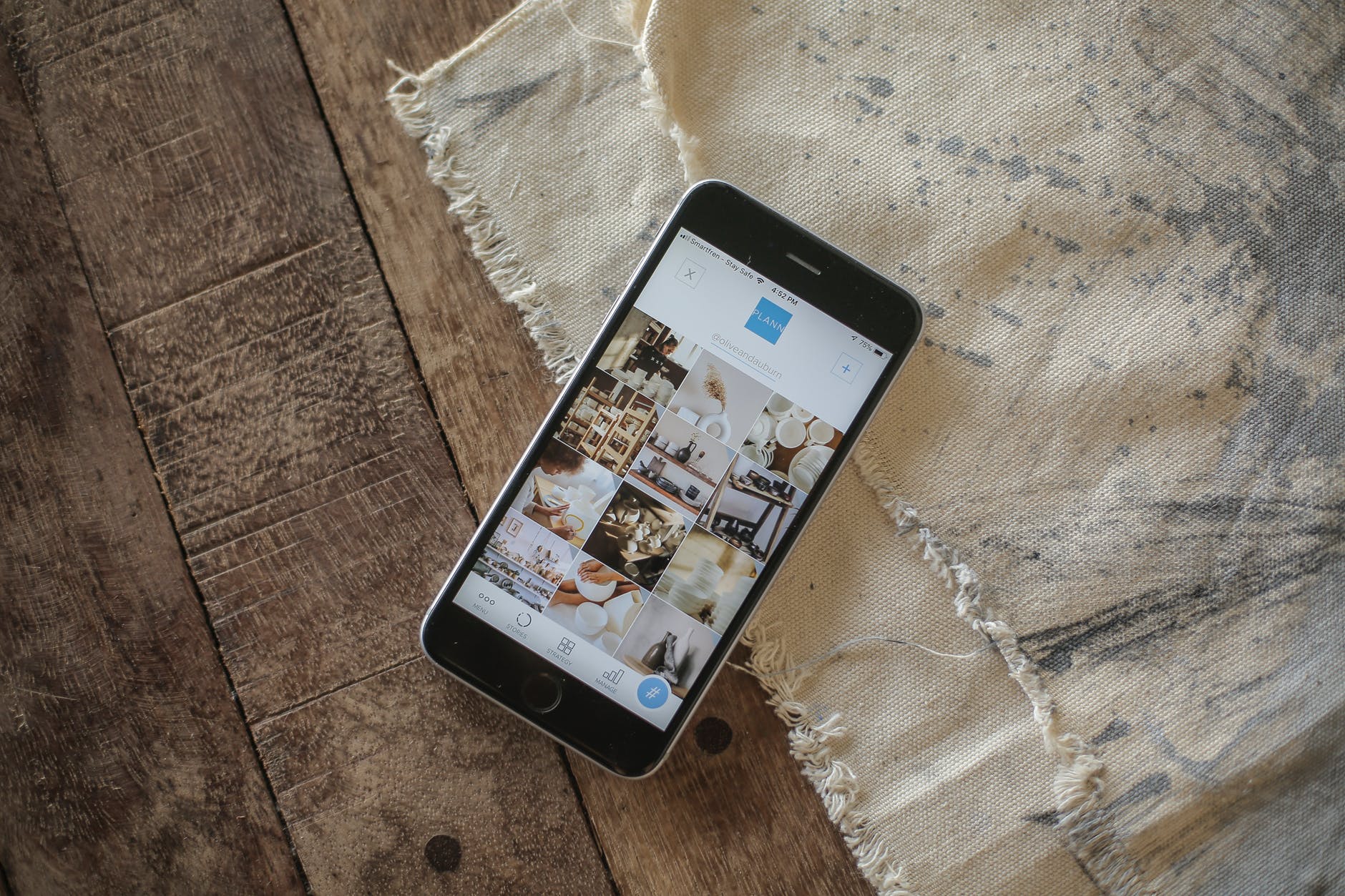
Photo by Plann on Pexels.com

What is Usability?

Usability is measured by how well and efficiently someone can interact with your product. For a user to be able to use a product efficiently, efficiently, and easily is fantastic. The goal is for the user to be able to achieve whatever it is that they are wanting. There quality components that go into usability such as, Learnability, Efficiency, Memorability, Errors & Satisfaction.

  • Learnability: How easy it is for someone to achieve their goal with your product.
  • Efficiency: After they have learned what it is they need to do, how fast can they accomplish their task?
  • Memorability: If the person leaves and then comes back how easy is it for them to remember how to accomplish their goal?
  • Errors: How many and how big are those errors when they are accomplishing their task?
  • Satisfaction: how amazing was it for the person to use this product. As in how well were the design when they wanted to accomplish whatever it is they wanted to accomplish.

Usability can be very detrimental to a product. For example, if a website’s usability is difficult the likely of that person coming back is very low to none. In order to create amazing usability on a website, the website itself needs to be easy to navigate. The site also needs to make sure the words on the page are easy to see and not too small. The designs also need to be not too distracting. In order to achieve good usability is feedback from the user. If we can observe what the user is doing when they use the site. What the Strengths are and weaknesses we can obtain enough information to create a user-friendly product! By uncovering the issues, learning the opportunities to improve, and learn about the users we can create a incredible user experience.

UX: Accessibility

Accessibility

Ever had a difficult time using a site for some odd reason? Did you get it figured out by getting on support? If you did that’s great! Now, what if you weren’t so able to call for support because you weren’t able to use the site the way you wanted to. For some people, it’s not so easy for them to do the same things we do every day. When we’re looking up information we just click a few buttons and find the answer. For some, it’s not as easy as clicking a few buttons to get to our destination. So instead we need to accommodate those peoples to better help them get to their destination.

A great way can do that is by making it easier to use websites and applications. Not just being able to access the information but the ability to aid someone into getting there. So what we need to do as designers, coders, and any content creator is to enable users of different abilities to be able to use our site the same way someone without those disabilities would too. So when making our website, one great thing to keep in mind not everyone might be able to see simple text. So we need to add a speech reader. so people who may not be able to read so well or see can have the speech read to them. Another addition would be, adding high contrast which makes the site’s colors easier to see for people with eyesight problems. If you go to Dunkin Donuts you can see they have a button for this. Another great option to add in is buttons. this seems like a common thing but some sites and apps don’t really use much since everyone grew up phones and knows a touch screen works. This isn’t the case for older people. They may have a problem navigating somewhere so better to put clear and easy to buttons on places they would be useful. For example a list of items that they use a button/scrollbar to move up and down on the page. Another great example would be, voice commands. Kinda like Siri, So if someone who can’t physically move their hand or such, can talk and tell where the cursor should click or go. There are numerous ways of helping aid people who are not so able to do the things we find normal. It’s best to accomplish those tasks to help people out and make their lives a bit user friendly in a different way.


If you want to try the speech reader, all you have to do is highlight text, left click and go to speech to have this article read to you.

Design Thinking

What is Design Thinking?

Design Thinking is a process to understand and redefine issues in order to design better products. It helps provide solutions in order to solve the problem we may have in a product. A lot of companies use this process to better enhance their products. Design thinking uses logic and understanding in order to create amazing products we can use every day. After Testing you still need to maintain it and continue enhancing it and meeting all the expectations. Even Though it works doesn’t mean it can’t be enhanced! Let’s break down the process so we can get a greater understanding of each. The process looks like this:

  • Empathize – with your users
  • Define – your users’ needs, their problems, and your insights
  • Ideate – by challenging assumptions and creating ideas for innovative solutions
  • Prototype – to start creating solutions
  • Test – solutions

Empathize

You want to get an empathetic understanding of the issue you are trying to find a solution to. In order to achieve this is important to observe the user and know what it is they want and desire. Listening to them is like how a therapist listens to their clients in order to provide solutions to their problems. In this stage, you need to get as much information as you can from the user or audience. Knowing your audience is a must and knowing their likes and dislikes is also great.

Define

This is where you gather all the information you have gotten from your audiences and analyze the main issues/likes. We need to know everything people enjoy and dislike in order to fulfill their expectations. If we can obtain enough information, it will help the team be able to implement their ideas and possible functions for the product. Once we can define the things the audience didn’t like or want to see, we can come up with questions that can be answered.

Ideate

Here is where the team can start asking and generating ideas. Here is a space to think freely. So you can ask questions about the issues and possible functions of the product. You draw, write, and use sticky notes or photos to visually show your ideas. In this stage we need to bring out all solutions we have that can be used to solve the problem.

Prototype

Here is where you basically create the product but in a smaller version and less expensive. In this stage, we will implement the solutions. It’s basically a trial and error for the ideas we came up with in the early stages. This way when we use trial and error we figure out if the solutions we came up with will work, if they don’t we will revise or just reject it fully.

Test

This is where it gets intense because we need to test the best solutions again and again to see whether or not they hold up. During this stage, solutions are still being brought out in order to provide the best of the best. This stage is a bit hectic more than the other stage but it’s amazing to see all the work come to life. After testing is done you’re still finding better ways to enhance your product and see further into what people enjoy or don’t enjoy within the product.

Once Upon a Time in Hollywood

Once Upon a Time in Hollywood poster

A Film Review

The movie Once Upon a Time in Hollywood portrays what it was like in Hollywood in 1969. The Lead actors and actress is, Leonardo DiCaprio as Rick Dalton, Brad Pitt as Rick Dalton’s stunt double, and Margot Robbie as Sharon Tate. The movie shows how Hollywood movies were made and what it was like for everyone the Golden Age. this movie also shows the dark tragedy that took place in Hollywood at that time. this movie takes place during the Manson Murder and shows how it happened. I think people who appreciate the art of film and the cinematography will surely enjoy this new Quentin Tarantino movie. 

Let’s talk….

Before beginning, I want to say how I will approach this review. I will talk about the movie and what goes on throughout. I also want to talk about the perspective of what it was like in 1969 and the tragedy that took place during this time. So, with that being said let’s begin the review!

The story

With Rick Dalton struggling to find more roles in Hollywood Cliff Booth his stunt double goes wherever Rick tells him to go. Whatever Rick is doing Dalton is not far behind. They drive together, eat together, and have a drink together in Rick Dalton’s mansion. Rick soon discovers his career is going down and doesn’t know if he will be able to keep Cliff as his stunt double. Soon a producer sees Ricks films and provides him with a role in a movie. As for Cliff, Ricks’s movie set has a few people who don’t appreciate Cliff since has killed his wife years ago. So, Cliff is not welcomed which means he is not working as much and just attending to Rick Dalton’s needs. Sharon Tate whom we see only a small amount of times has one main scene that is easily laughable. In one of her scenes she is seen walking to a theater and realizing she plays in one of the movies being shown, she then asks if she can go watch it. Which then turns into a back and forth conversation between Tate and the cashier. Eventually, the doorman lets her in and while watching the movie she props her very interesting feet onto the seat in front of her. I do not know what Quentin Tarantino has with women’s feet but it’s very unnoticeable throughout the film. 

Brad Pitt & Leo onset, the bar

Hollywood in 1969

Mr. Tarantino basically relives his childhood through this movie. He captured all every detail of Hollywood back in 1969. He made the theatres, cars, and the whole environment exactly how it was back in 1969. He creates the most amazing scenes throughout the whole movie. The angles and perspectives, Mr. Tarantino captures are stunning. If you are someone who really enjoys cinematography, you will definitely enjoy this. Aside from that, Leonardo DiCaprio’s acting still amazes me today. His acting is phenomenal and so energetic. He brings so much life into his character with the way he talks and walks. He really goes beyond the standards of acting. 

Throughout the whole film, Rick and Cliff are two people who are basically like brothers. They do about everything together and just that Cliff really looks out for Rick. Near the end of the movie in the ending which was covered by heroism was a dark tragedy that is said to be the end of the 1969 golden age. With that being said, there was a man named Charles Manson. He was a cult leader and along with him were Tex Watson, Susan Atkins, and Patricia Krenwinkel. They were ordered by Manson to kill Sharon Tate. This was a true event but, in the movie, it turns the event into a happy manner. I cannot go into detail with this being such a graphic case. 

The Manson Murders

Basically, what went down was Charles who ordered the attack was mad at the people who lived in Roman Polanski and Sharon Tate’s house before. They refused to make an album with Charles and Charles was also obsessed with the Beatles. Particularly the “Helter Skelter” song which spoke to him to carry out the task. So Tex Watson, Susan Atkins, and Patricia Krenwinkel drove to the Polanski residents and carried out the attack. Fun fact, the dialog at the end of the movie was the same exact dialog used by the Manson Family when they carried out the attack. While carrying out those extremely graphic attacks they wrote on the wall in the blood of the victim’s “pigs” and “Helter Skelter” to send a message. This was their last attack before being detained by police and now serving life sentences since the death penalty was ruled out in 1969. Still today there are a few Masons families serving those sentences and trying to obtain parole.

The Love Letter

Mr. Tarantino really amazes the audience and the whole world by altering the past. He shows a happy ending in 1969. Quentin Tarantino makes this movie his second to the last film he will make. With the ending he wanted it to be a happy one so there’s now a proper goodbye to Hollywood from 1969. This movie was said to be his love letter to Hollywood.

[youtube https://www.youtube.com/watch?v=N9V4ZGrvkzw&w=560&h=315]

Here is how Once upon a Time started to come together. How Quentin Tarantino turned Hollywood back into Hollywood 1969

Live blog

1994 Winter Olympics – Tonya Harding Ice Skating

1994 Winter Olympics was held in lillehammer, Norway. I will be live blogging the ice skating part of professional figure skater Tonya Harding. She is an american figure skater and is the first women to land a triple axel. I am watching Tonya Harding Figure Skate. Here is the video I watched, It’s history of the 1994 olympics, I had to find another video detailing tonya harding performance which you can see here

9:32 pm Tonya gets interviewed and tells why her lace broke and why she didn’t land the triple axel this time. I think she performed extremely well for what she has gone through for her career as a figure skater.

9:30 pm Tonya gets her results and I personally think she did an amazing job

9:29 pm Tonya finishes her performance, goes back to her bench and awaits results.

9:28 pm she lands a triple Salchow (Here is a tutorial on the jump)

9:27 pm she lands a triple Loop (heres a video showing triple & double loop jumps)

9:26 pm she lands a triple flip jump.

9:24 she lands her first jump which was the triple lutz

9:22 pm Tonya Harding starts her performance

9:20 pm Tonya Harding comes back to perform having fixed her lace from earlier

8:51 pm the judges allowed her to perform after the next figure skater to fix her laces.

8:47 pm Tonya tells the judges her lace for her skate had broken while she is crying.

8:45 pm She did her first time and she did not do what she was intending on. she skates for a bit and then starts to cry, and makes her way to the judges table.

8:42 pm Tonya is starting her performance to the her song.

8:40 pm Tonya’s coach was telling her what she has to do for her performance

at 8:37 pm the Figure Skating part was starting and the next performer was, Tonya who was struggling to get outside and when did she was still tying her shoes.

at 8:00 pm There were flags and singing during the introduction of the Winter Olympics

Style Guides

When looking at different style guides they are usually for maintaining a companies branding and content. This way when producing anything such as the content on your applications everything stays consistent. You want to make sure your content is like the competitors. Your content should be better and recognizable by anyone and accessible by anyone. When creating style guides you follow a set of rules and just making sure the material you produce follows those rules.


For example, when Apple shows off their phones it’s usually shown in a keynote and each piece of content is on a clean surface or background. They show their phones off with a great close up details and popping colors with big bold texts. Also, everything is minimalistic. Apple goes with usual whites, blacks, and greys as their color schemes. As for Google, they also have phones and their color schemes are their whole brand. It’s the Blue, Red, Yellow and green colors that make google recognizable by billions of people. This is how they show people their products. Through those particular images and colors. On the other side Apples, style guides are like this, they use some gradients to make their product pop out to us. The way they use big bold text on their website you will quickly know that this is an apple product. So style guides are basic guidelines to help keep your information and products consistent and different from others